A Facebook Business Page is still one of the highest-ROI free assets a small business can claim in 2026. It's required infrastructure for Instagram cross-posting, WhatsApp Business, and Meta Ads — and on its own, it lifts local search visibility 15–30% for service businesses that complete every field. The setup itself takes under 30 minutes.
Before you start (5-minute checklist)
Gather these so you don't lose momentum mid-setup:
- Your business name exactly as it appears on Google.
- A square logo (170×170 px minimum, PNG with clear background).
- A cover photo (1640×924 px, landscape).
- Your physical address OR service-area cities.
- Hours of operation.
- A 2–3 sentence "about" description.
- Your website URL.
- A phone number and contact email.
The 8 steps (30 minutes, in order)
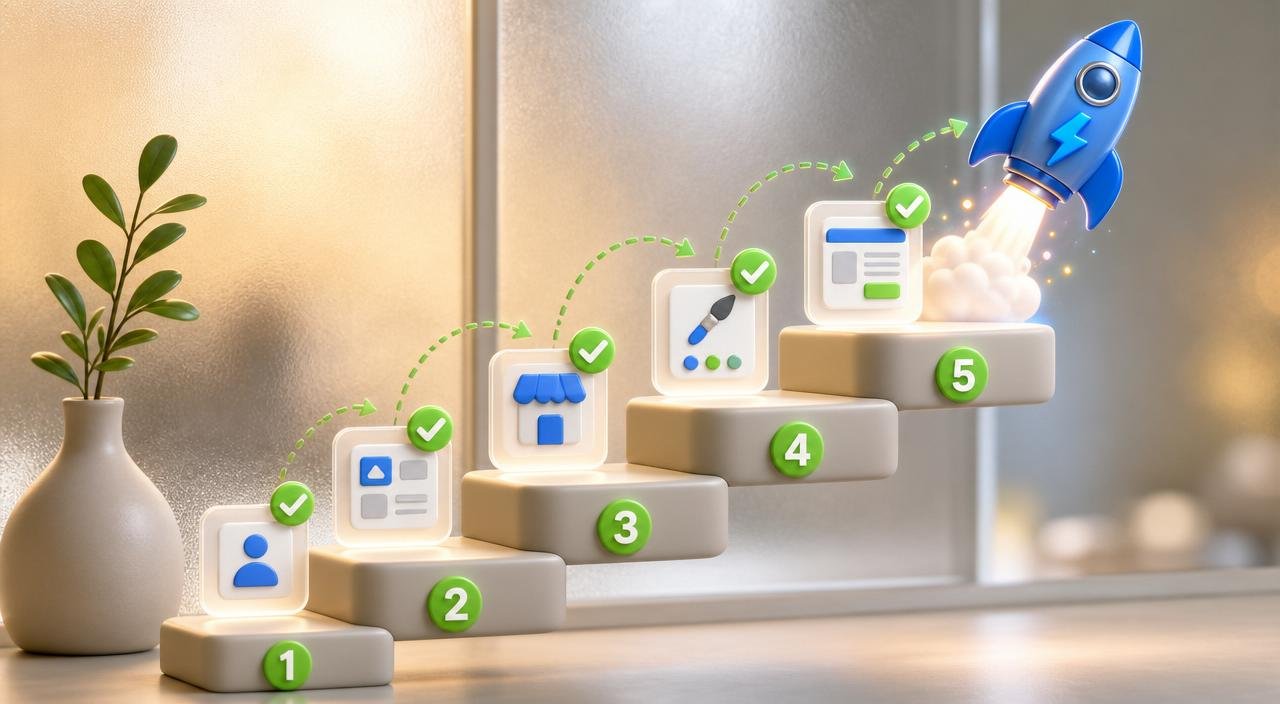
Facebook Business Page setup
- Create the page from facebook.com/pages/create
- Pick the right category (this drives discovery)
- Upload logo + cover photo
- Fill the About section completely
- Add address, service area, and hours
- Add website, phone, and contact email
- Set the page's custom URL (@username)
- Publish your first 5 posts before inviting followers
Each step takes 2–5 minutes. Don't skip steps 2, 4, or 5 — they're the ones that decide whether the page ever ranks in local search.
Step 1 — Create the page
Log into your personal Facebook account, go to facebook.com/pages/create, and pick "Business or brand." Your personal account becomes the admin — your customers never see it.
Step 2 — Pick the right category
Type your business type ("locksmith", "bakery", "law firm") and pick the most specific match. Category drives Meta's local search results — "Auto Repair Shop" outranks "Local Business" by 40% for the same city query. Choose up to three related categories; one primary, two backups.
Step 3 — Upload logo and cover photo
Logo: 170×170 px square PNG with transparent or solid background. Cover: 1640×924 px landscape — show your storefront, team, or hero product. Avoid stock photos. The cover is the first thing 60% of visitors see, especially on mobile.
Step 4 — Fill the About section completely
This is the #1 step most owners skip. Fill every field: short description (155 characters), long description (full story), founded date, mission, products/services, and awards. Pages with 90%+ profile completion show up in local search 2–3x more often than half-filled ones.
Step 5 — Address, service area, and hours
Storefront business? Add your address — it appears in local search and Meta's map. Service business (mobile, no storefront)? Hide the address and add a service area (cities, zip codes, or radius). Match every detail to your Google Business Profile exactly — Meta cross-references both for trust.
Step 6 — Website, phone, and email
Use your real website URL, your business phone (not a cell), and a monitored email. These three fields power the "Contact" buttons on mobile, which generate roughly 20% of all small business page actions.
Step 7 — Set the custom URL
Claim a username like @yourbusinessname so your URL becomes facebook.com/yourbusinessname. Pages without custom URLs look unfinished and lose ~10% of expected clicks. You can only claim a username after 25 followers — invite friends if needed to unlock it.
Step 8 — Publish 5 posts before inviting followers
Meta's algorithm penalizes empty pages. Publish 5 posts first — intro, behind-the-scenes, review, tip, soft offer — then invite your network. This 5-post mix tells the algorithm the page is active and ready to show.
The first-week post mix (copy this)
- Day 1 — Introduction post. Who you are, what you do, who you serve. Pin this to the top of the page.
- Day 2 — Behind-the-scenes photo. Your workspace, your team, your tools. People follow people.
- Day 3 — Customer review or transformation. One quote, one photo, one short caption.
- Day 5 — Educational tip. One framework or insight from your niche. Saves and shares teach the algorithm what you're about.
- Day 7 — Soft promo. One service, one clear next step — DM, book, call.
After week one, keep a 3–5 post weekly cadence. The full playbook is in our posting cadence guide, and the easiest way to never miss a week is to wire Social AI to generate a full month at a time.
5 common setup mistakes
- Choosing the wrong category. "Local Business" or "Company" hides you from local search. Always pick the most specific industry match.
- Leaving the long About blank. Half-filled About sections rank 2–3x worse and look untrustworthy to first-time visitors.
- Mismatched NAP. Name, Address, Phone must match your Google Business Profile exactly. Even small differences hurt local ranking — see our business listing management guide for why.
- Stock photo cover. Generic stock kills trust. Use your actual storefront, team, or work.
- Inviting followers before posting. An empty page tells the algorithm and your followers there's nothing to engage with. Always post first.
After the page is live (the first 30 days)
Setup is the easy part. Consistency is what compounds. Three things to do in the first 30 days:
- Connect the page to Instagram and Meta Business Suite so one post fuels both feeds.
- Turn on Messenger auto-replies (welcome message + away message). Pages that reply within 15 minutes earn the "Very responsive to messages" badge — worth ~12% more message volume.
- Schedule the next 30 days of content in one pass with Social AI or use the framework in our content calendar template guide.
Want everything — page, Instagram, X, LinkedIn, Pinterest, and TikTok — running from one calendar? See the trial on the Social AI free preview or compare plans on the pricing page.